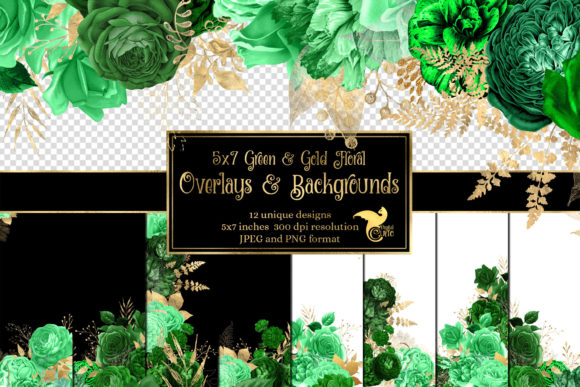
Elevate Your Designs with 5x7 Green and Gold Floral Overlays
In the world of digital design, efficiency and aesthetic impact are often locked in a delicate balance. You want creations that look professional and beautiful, but you also need tools that don’t consume hours of tedious work. This is precisely where a well-curated set of digital overlays becomes a secret weapon for creators. The 5x7 Green and Gold Floral Overlays collection is designed to be that tool: a bridge between vintage elegance and modern practicality.
Understanding the True Value of a Complete Overlay Set
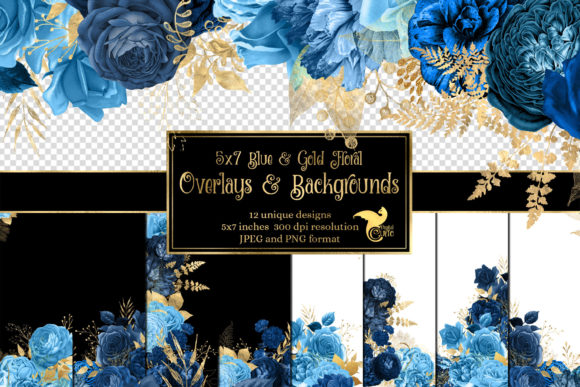
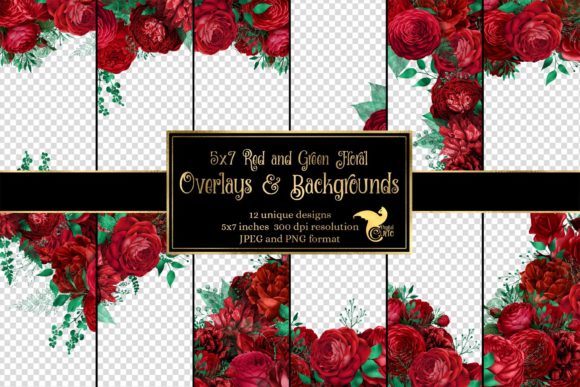
Many designers, especially those just starting, might see a pack of overlays and think only of the transparent PNG files. They focus on the pretty flowers and the immediate application. This is a natural first impression, but it overlooks the deeper utility baked into a comprehensive set like this one. The inclusion of both PNG files and JPEG versions on opaque white and black backgrounds is not just an extra—it’s a fundamental expansion of your creative options.
A common oversight is downloading only transparent overlays and then struggling when your project base isn’t a perfect match. For instance, if you’re placing text directly over a busy photograph, a transparent floral overlay might make the text illegible. The provided JPEGs on solid backgrounds solve this. You can use the white-background JPEG to create a clean, legible text block or a classic invitation panel, or use the black version for a dramatic, high-contrast look. Having these variations means you aren’t locked into one technique; you can adapt your design to the needs of the final product without starting from scratch.
The Critical Details: Size, Bleed, and Resolution
Here is where a small misunderstanding can lead to a large practical problem. The overlays are sized at 5.25 x 7.25 inches at 300 DPI. A novice might glance at the title “5x7 overlays” and assume the files are exactly 5x7 inches. If they then place them on a 5x7 canvas in their software, they will be confused when the overlay doesn’t fit perfectly or leaves a thin border. This isn’t an error in the product; it’s a thoughtful design choice for professional results.
The extra .25 inches on each side is the bleed area. In printing, especially for items like invitations or journal pages that will be physically trimmed, a bleed ensures that your design extends past the final cut line. This prevents unsightly white edges if the trim is slightly off. If you are creating a 5x7 printable, you should set your canvas to 5x7 inches, but place the 5.25x7.25 overlay so that the floral pattern fills the entire canvas and the extra .25 inches extends off the edges. Then, when you print and cut, you get a flawless, full-bleed finish. Ignoring this bleed and using the overlay at its exact native size on a larger canvas will result in a smaller design element, not a background fill.
Choosing the Right Format for Your Project
Another frequent point of confusion is format selection. The PNG files with transparent backgrounds are incredibly versatile for digital compositing—layering over photos, textured papers, or colored backgrounds in software like Photoshop, Canva, or Procreate. However, for some quick projects or simpler software that doesn’t handle transparency well, the JPEGs are your best friend. A practical mistake is forcing a PNG into a situation where a JPEG would yield a cleaner, faster result.
For example, if you are a blogger creating a graphic for a website using a basic online tool that has limited layer functionality, uploading the white-background JPEG and then adding your text on top will be a straightforward, two-step process. Trying to manage a transparent PNG on the same platform might require you to first create a white background layer manually, adding unnecessary steps. Always assess the capabilities of your design environment before deciding which file format to open.
Beyond Invitations: Unlocking Unexpected Applications
The product description mentions invitations and journal pages, which are excellent uses. But a narrow focus on only these two applications means missing out on immense value. These overlays are assets for any creative project. Entrepreneurs can use them to design elegant promotional flyers or social media banners for a vintage-themed brand. Educators might incorporate them into certificates, worksheet headers, or presentation slides to add a touch of sophistication. Freelancers can create branded proposal covers or client gift certificates.
The green and gold color palette evokes a sense of timeless, organic luxury. It works for wellness businesses, heritage brands, wedding services, or any project requiring a classic touch. Before you decide if this set is “for you,” think past the obvious. Could the patterns serve as subtle borders in your digital scrapbooking? Could the gold elements be used as accent details on a dark background for a holiday card? Expanding your view of the asset’s potential increases its return on investment dramatically.
Evaluating Quality Before Commitment
When purchasing any digital design asset, there are key specifics you should actively check. Resolution (300 DPI) is non-negotiable for print-quality output; lower resolution files will look pixelated when printed. The included size detail tells you it’s suitable for standard 5x7 print formats. Also, examine the description for file organization. A set that provides clearly separated PNG and JPEG files, as this one does, indicates thoughtful packaging that will save you time sorting through a cluttered download folder.
A better approach is to mentally map your next project against the product specs. Do you need a transparent element to layer? Check for PNG. Are you printing? Confirm the DPI and bleed. Will you use it in simple software? Look for alternate JPEG backgrounds. This pre-purchase audit prevents the disappointment of buying a lovely set that, due to one missing technical aspect, doesn’t fit your workflow. The 5x7 Green and Gold Floral Overlays set addresses these points by offering multiple formats and print-ready specs, but always make this checklist a habit.
A Practical Approach to Implementation
Once you have the files, the best way to start is with a simple test. Open one PNG overlay in your design software. Place it over a photograph. Then, open the same design as a JPEG on black. Compare the effects. This hands-on experiment teaches you the functional differences faster than any tutorial. It also helps you avoid the pitfall of using an overlay in a way that clashes with your base material. The lush floral details are beautiful, but they need the right backdrop to shine—whether that’s a transparent blend over a muted photo or a stark contrast on a solid color.
Remember, these overlays are ready for you to add your own background, text, photos, or embellishments. They are a foundation, not a finished product. The common mistake is to treat them as a final graphic and not customize them further. Add your personal text, adjust the blending mode of the PNG to ‘Multiply’ to let it integrate with your background texture, or clip a photo to appear within a floral frame you create. The asset becomes truly powerful when you use it as a starting point for your unique creative expression.
In essence, approaching the 5x7 Green and Gold Floral Overlays with an understanding of their technical construction and versatile potential transforms them from simple decorative files into a robust toolkit. By paying attention to the bleed, consciously selecting the right format for your task, and thinking broadly about applications, you leverage every part of what’s offered. This mindful approach saves time, elevates your design quality, and ensures that the elegant vintage florals you chose become the perfect accent to your vision, not a source of technical frustration. Your projects gain that professional edge, seamlessly.